Pixel Circle Generator (2026): Free Blueprint Tool & Voxel Guide
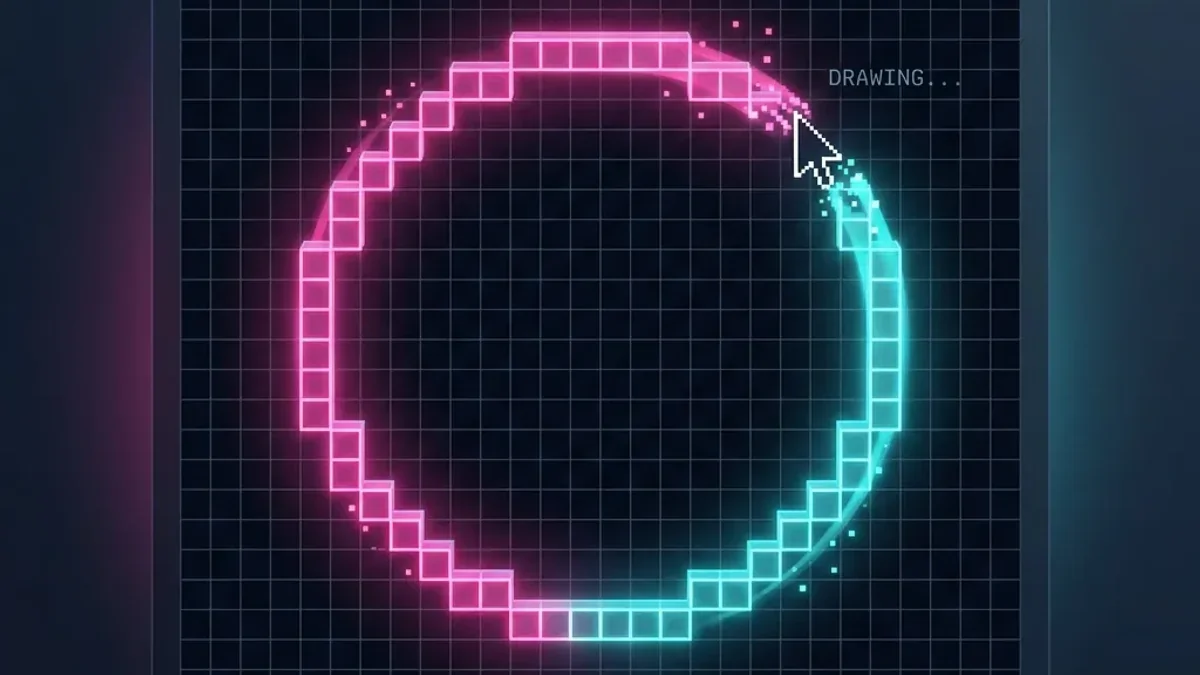
Creating symmetrical, mathematically accurate circles on a discrete pixel grid is one of the most persistent hurdles in Minecraft architecture, 2D sprite design, indie game development, and cross-stitch crafting. Attempting to place blocks or pixels freehand almost always produces flat sides, awkward pinching, or lopsided quadrants.
A digital pixel circle generator eliminates this friction. By entering your desired diameter and options, the tool calculates the precise raster coordinates in real time. Our free pixel circle generator runs 100% in your browser with zero downloads, zero ads blocking the grid, and instant SVG/PNG blueprint exports.
How the Midpoint Circle Algorithm Works
Under the hood, MineCircles implements an optimized variant of Bresenham's Midpoint Circle Algorithm. Unlike naive trigonometric sampling ($x = r \cos \theta, y = r \sin \theta$) which can leave ugly pixel gaps or duplicate blocks, the midpoint algorithm evaluates the decision parameter $d_k$ at each integer step:
🧮 The Midpoint Mathematical Equation
For a circle centered at $(0,0)$ with radius $R$, the algorithm tracks the curve in a single octant ($x = 0$ to $x = y$). At each step, it chooses between horizontal movement $(x+1, y)$ or diagonal movement $(x+1, y-1)$ based on:
$$F(M) = (x_k + 1)^2 + (y_k - 0.5)^2 - R^2$$
Because of 8-way symmetry, the algorithm reflects each calculated point across all 8 octants simultaneously, guaranteeing 100% flawless symmetry across the X, Y, and diagonal axes.
Who Benefits from a Pixel Circle Generator?
⛏️ Minecraft Builders
Plan multi-story wizard towers, lighthouse bases, biospheres, arena seating, and 1.21 automated Crafter pods without wasting hours tearing down mismatched foundations.
🎨 Pixel Artists & Animators
Design retro game sprites, circular UI meters, spell effect rings, shields, and potions with clean line anti-aliasing.
🎮 Indie Game Developers
Quickly lay out tile-based radar circles, area-of-effect (AoE) spell zones, and circular map boundaries for 2D/isometric RPGs.
🧵 Crafting & Cross-Stitch
Export high-contrast grid charts for Perler bead art, diamond painting, mosaic tiling, and embroidery patterns.
How to Master the MineCircles Generator in 4 Steps
Select Your Diameter & Parity
Enter your diameter (from 3 to 250+ blocks). Toggle between Force Odd (1x1 single center block for spiral stairs/beacons) or Force Even (2x2 center core for double doors and 2-wide pathways).
Choose Your Render Mode
- Outline (Thin): Single 1-block wide perimeter. Best for tower walls, fences, and basic foundations.
- Filled (Solid): Completely filled interior disc. Ideal for circular crop farms, platform floors, and arena pits.
- Thick Wall (Adjustable): Dual-ring concentric outlines with customizable thickness (2, 3, or 4 blocks deep) for fortified castle ramparts.
Use 10x10 Chunk Grid Overlays
Enable the major grid lines to break massive 50+ block projects into easy 10x10 sections. You can count blocks quickly in Survival mode without losing your position.
Mobile Interactive Touch Tracking
Open MineCircles on your smartphone or second monitor. As you place blocks in-game, tap the grid on your screen to mark off placed blocks in real time.
Common Diameter Cheat Sheet
| Diameter | Total Perimeter Blocks | Step Sequence (Per Octant) | Best Used For |
|---|---|---|---|
| 9 blocks | 24 blocks | 3-1-1-3 | Fountain, well, porthole |
| 15 blocks | 40 blocks | 5-2-1-2-5 | Tower base, small dome |
| 21 blocks | 56 blocks | 5-3-1-1-3-5 | Multi-floor survival base |
| 31 blocks | 84 blocks | 7-3-2-1-1-2-3-7 | Large nether hub rotunda |
| 45 blocks | 124 blocks | 9-4-2-2-1-1-1-2-2-4-9 | PvP arena / Megabase dome |
Ready to Start Building?
Generate circles of any size, customize thickness, and export your blueprints instantly.
Open Pixel Circle GeneratorRelated Articles
The Science of Voxel Shapes: Mastering Advanced Sphere and Circle Architectures in Minecraft
The definitive guide to voxel geometry, advanced sphere architectures, and optimal block distribution for mega-structures in Minecraft as of 2026.
December 24, 2025How to Build Arches and Curved Bridges in Minecraft
Learn to build stunning arches and curved bridges in Minecraft. Master semi-circle techniques for aqueducts, doorways, and architectural masterpieces.
September 6, 2026Minecraft Circle Size Guide (2026): Exact Diameters for Any Build
2026 Minecraft Circle Size Guide: Find the exact circle diameter for towers, domes, nether hubs, crafter automation rooms, and arenas with block count charts.